GuideYou

Foto: Product Hunt AI
One in four people feel frustrated acting as unofficial technical support for their loved ones; however, the newly debuting GuideYou platform has the potential to end endless questions about smartphone or computer operation. The tool allows for the instant creation of step-by-step visual instructions, eliminating the need to repeatedly explain the same processes. Users can upload screenshots, apply precise highlights, and share completed guides within a shared family workspace. From a global user perspective, GuideYou solves the key problem of the digital divide within families and small communities. The system supports a feedback mechanism, which is essential when application interfaces change following updates. Because the platform works on every device and maintains a constant login, less tech-savvy individuals have immediate access to a knowledge base created by the household expert. This is a practical implementation of the asynchronous support concept in private life, saving time and reducing the stress associated with the digital exclusion of older generations. Instead of another phone call requesting help, relatives receive an interactive roadmap that guides them through the complexities of modern software.
Most of us play the role of informal technical support in our families. The scenario is always the same: a phone call in the middle of the day asking how to pay a bill in a new banking app, how to share photos from the cloud, or why Netflix stopped working on the TV. Although these activities seem trivial to us, they represent an insurmountable barrier for less advanced users. The startup GuideYou, which has just debuted on the Product Hunt platform, intends to solve this problem once and for all by automating the process of transferring technical knowledge within the family.
Instead of explaining the same sequence of steps over the phone for the tenth time, GuideYou allows you to create an interactive instruction that stays with the user permanently. It is a tool designed with simplicity in mind, where the process of creating a guide comes down to a few clicks. The user uploads screenshots, marks key elements (so-called highlights) that need to be clicked, and generates a clear step-by-step guide. It is an "explain once, use forever" approach that drastically reduces the number of repetitive questions about everyday technology.

Visual precision instead of chaotic descriptions
The key advantage of GuideYou over traditional PDF instructions or YouTube videos is its specific structure. The application focuses on Family Care, which means the recipient's interface is simplified to the maximum. The guide creator can precisely point to the location of a screen tap, which eliminates the guesswork accompanying text descriptions. This mechanism works on any device, which is critical in home ecosystems where iOS, Android, and desktop browsers mix.
Read also


It is worth noting the family workspace feature. This is a shared space accessible to all family members. Once a guide is created—for example, regarding the configuration of a smart thermostat or operating a shared streaming account—it lands in a central repository. Because GuideYou stays signed in, access to instructions is immediate and does not require going through authorization processes again, which is often an insurmountable obstacle for the elderly.
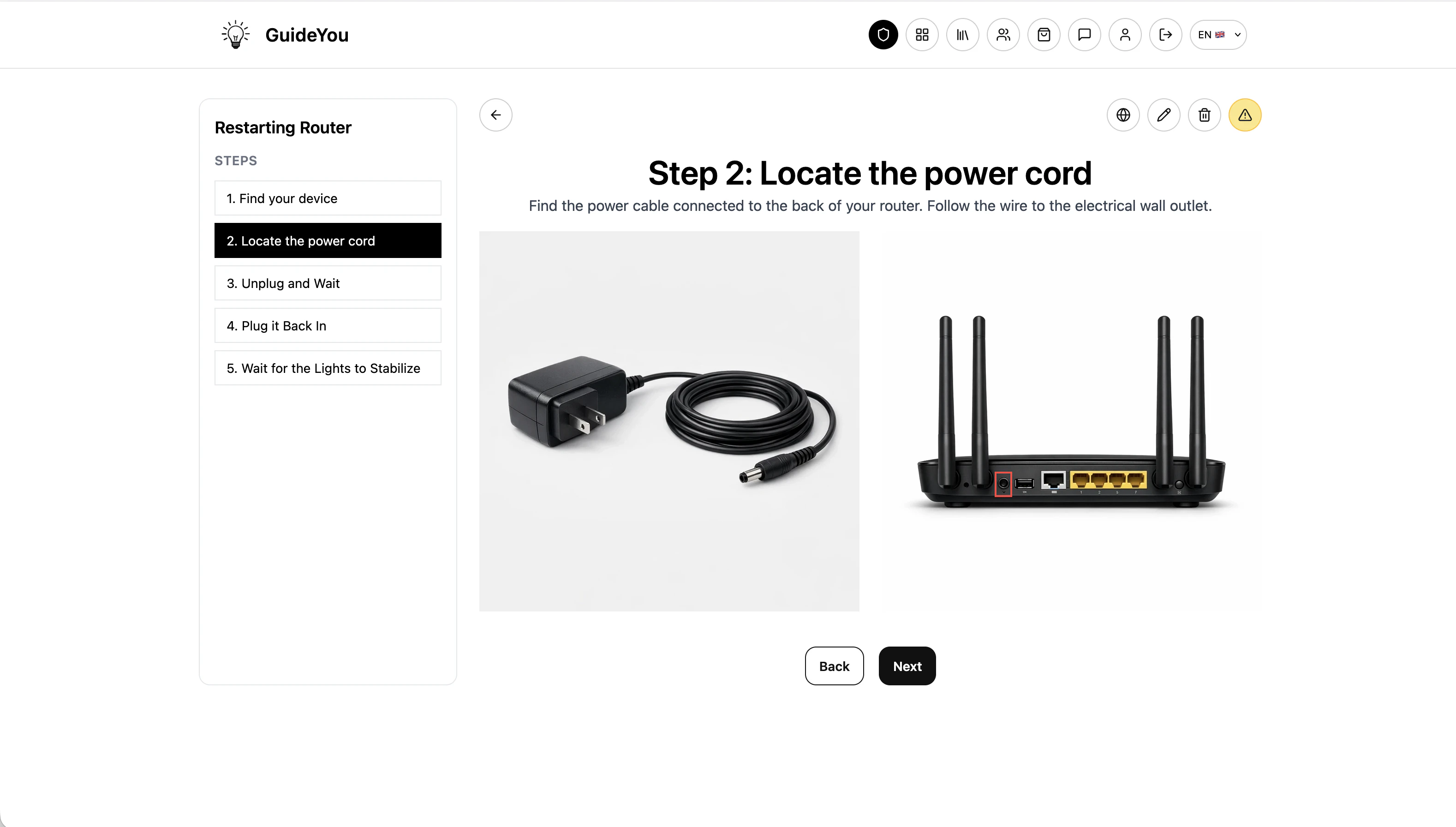
Interactivity and resistance to interface changes
The biggest pain point of static instructions is the fact that mobile apps and web services change almost every week. A button that was blue and located in the upper right corner yesterday might be hidden in a "hamburger" menu today. GuideYou introduces a feedback mechanism (supports feedback) that allows users to report moments when the actual screen appearance no longer matches the instruction. This allows the author to quickly update a specific step without having to create the entire material from scratch.
- Visual steps: Focus on images instead of text, which speeds up message comprehension.
- Universality: The tool works on any device, supporting diverse technological environments.
- Highlighting: The ability to precisely mark interface elements that require interaction.
- Free options: The platform offers free variants, making it easy to implement the tool within a home budget.
In a global context where societies are aging and technology is becoming increasingly multi-layered, solutions like GuideYou stop being just "gadgets." They become an essential communication bridge. The application finds use not only in smartphone support but also in the area of Home improvement or building local Community, where shared rules for property management or security systems require clear documentation.
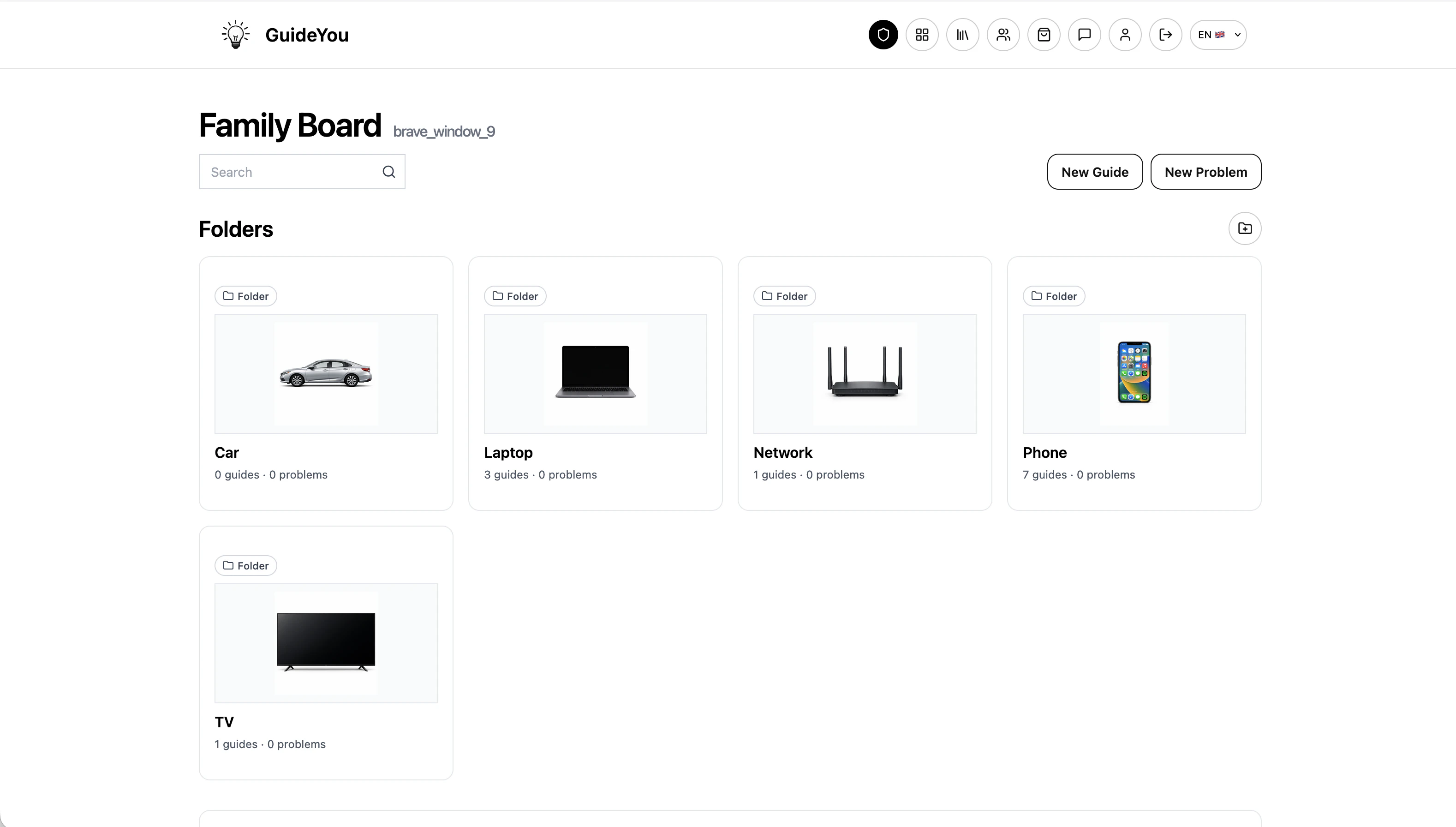
The end of the "family helpdesk" era
Analyzing the GuideYou operating model, one can see a trend of democratizing the creation of technical documentation. Until now, tools of this type were reserved for corporations (Digital Adoption Platforms). Bringing this functionality to the private sphere is a bold and necessary move. The startup, currently having 108 followers on Product Hunt, hits a sore spot for modern families: the technological fatigue of those helping and the frustration of those needing help.
GuideYou helps create simple, visual step-by-step guides that your family can follow without calling you every time. Explain once and let others act independently.
It can be assumed that in the near future, GuideYou will become a standard in home knowledge management. The tool's potential goes beyond simple apps—it can be used to document physical processes, such as operating a coffee machine or a garden irrigation system, as long as the user provides appropriate photos. The key to success here will be maintaining the promised simplicity and resistance to feature bloat, which could scare off the target audience for whom technology is merely a tool, not an end in itself.
More from Tech




Related Articles

After court loss, RFK Jr. gives himself more power over CDC vaccine panel
Apr 6
Steven Spielberg Still Wants to Make a Horror Film ‘Someday’
Apr 6New Jersey has no right to ban Kalshi's prediction market, US appeals court rules
Apr 6